A good photography app does not automatically make your smartphone better. But the right app can help you photograph more deliberately: with greater control at capture, more latitude in RAW, better editing, or more effective preparation for light, weather and location.
Smartphone photography has come of age in 2026. The standard camera app on an iPhone, Samsung, Google Pixel or other modern smartphone is often surprisingly good. Night mode, portrait mode, HDR, automatic subject detection and smart sharpening do a lot of the work without you even thinking about it. That's nice, but also exactly the reason not to just install ten random apps.
The question is not: which app is the best? The better question is: at what point do you want more control? Sometimes the regular camera app is enough. Sometimes you want a camera app that makes fewer decisions for you. And often the biggest gains come not from capture itself, but from editing or planning. Anyone who takes photography with a phone seriously should think not only about filters, but also about timing, light, file quality, and workflow.
First decide: do you want to shoot, save, edit, or plan?
You use a camera app when taking photos. You want control over exposure, focus, shutter speed, ISO, white balance or RAW recording. Such an app is especially useful when the automatic smartphone camera becomes just a little too smooth, too bright or too helpful. Think of evening light, backlight, street photography, still life or situations in which you deliberately underexpose.
A RAW app is usually not a separate app type, but a function within a camera or editing app. RAW gives you more leeway in highlights, shadows and color. The file is larger and requires post-processing, so it is not necessary for every family picture. But RAW can certainly make a difference for landscape, architecture, product photos or images that you want to print.
An editing app comes after capture. This is where you make the photo calmer, stronger, or more consistent. Cropping, correcting perspective, adjusting color temperature, and local brightening are often more valuable than a spectacular filter. If you often finish photos on your phone, editing photos on your smartphone is also very useful.
You use a planning app just before you leave. Where does the sun rise? When will the moon be behind that building? How much cloud cover is there around sunset? For landscapes, cityscapes, night photography and travel photography, such an app is sometimes more important than the camera app itself.
1. The standard Camera app: fast, smart and often enough
The best photography app is probably already on your phone. The standard Camera app is fast, stable and fully tailored to the hardware of your device. It switches between lenses automatically, uses the manufacturer's image processing, and is often ready for the moment faster than any pro app.
Use it mainly for street moments, children, travel, food, pets and situations where speed is more important than complete control. Turn on the grid, pay attention to your lighting, and learn where your phone sometimes goes overboard: too bright HDR, too much sharpening, an artificial portrait effect, or night mode that smears motion.
If you photograph with an iPhone, it helps to first set these five important iPhone camera settings correctly before reaching for another camera app.
When do you choose something else? Once the camera app decides too much. If you deliberately want to photograph darker, focus manually, need RAW or want to maintain consistent settings, you will find the following apps.
Price and availability: Free and available as standard on both iPhone and Android smartphones.
2. Halide Mark III: for iPhone photographers who want more control
Halide is one of the best known pro camera apps for iPhone and iPad. The app is made for photographers who want to consciously work with focus, exposure, RAW and the way an iPhone processes the image. It is especially interesting that Halide helps you reduce the automatic smartphone look. You can work more naturally, intervene manually and see better what your camera is doing.
Halide is not an app for every quick photo. It comes into its own when you take a more considered approach: street scenes with difficult light, architecture, details, still lifes or scenes where you don't want the phone to smooth everything out. The app turns your smartphone into more of a small camera than an automatic snapshot machine.
The limitation is clear: Halide is mainly interesting for iPhone users and requires more attention. If you just want to click quickly, you are often better off with the standard Camera app.
Price and availability: Halide is not free, but offers a seven-day trial period with the annual subscription. The app is only available for iPhone and iPad, not for Android, and can also be purchased once.
3. Open Camera: straightforward control for Android

For Android users, Open Camera is a practical counterpart: free, open source and focused on manual control. Depending on your device, you can work with exposure, focus, white balance and RAW, among other things, via Android's Camera2 support. The look is less slick than some paid apps, but the power is in the simplicity and control.
Open Camera is especially useful when your Android phone's default camera app is limited, or when you want to lock settings for a series of similar shots. Think of reproduction photos, product photos, night photos from a tripod or situations where you don't want the phone to guess again with every shot.
Anyone who uses longer shutter speeds with Open Camera will benefit greatly from a compact smartphone tripod. A model with Bluetooth remote control prevents the phone from moving when you take the shot.
Not every Android device supports the same functions. RAW and manual controls depend on your phone's hardware and software. So first check what your device can actually do.
Price and availability: Completely free and only available for Android.
4. Lightroom Mobile: RAW, color and a serious workflow
Lightroom Mobile is the logical choice when you not only want to improve smartphone photos, but also want to neatly organize them. The app can do much more than just a filter over a photo: exposure, contrast, color, local masks, profiles, noise reduction and RAW editing come together in one workflow. If you also use Lightroom on a computer, you benefit from familiar tools and synchronization.
Lightroom is especially strong for photos that you want to use later: portfolio, website, print, social media in a fixed style or a series of images from the same trip. You can work subtly, create presets and give multiple photos a consistent look. That is different from quickly sprucing up one individual photo.
The downside is that Lightroom quickly brings you into an Adobe workflow. Some features require a subscription and the app is less playful than Snapseed or VSCO. So choose Lightroom especially if you value control, consistency and RAW.
Price and availability: Available for free for iPhone and Android; some advanced features require a paid subscription.
5. Snapseed: fast, free and surprisingly precise
Snapseed has been a crowd favorite for years, and rightly so. The app is free, accessible and yet quite powerful. You can quickly adjust exposure, contrast, structure, color and perspective, but also work selectively on parts of the image. It is precisely that combination that makes Snapseed pleasant: simple enough for beginners, precise enough for photographers who do not want to open a desktop program.
Use Snapseed for individual photos that you want to quickly improve without creating a whole workflow. A crooked horizon, a slightly too cool white balance, a dark face in backlight or a disturbing edge in the composition are often quickly resolved in Snapseed.
Be careful with the temptation of too much structure, drama or saturation. Smartphone images are often already heavily processed. You usually don't immediately see a good Snapseed edit as an edit.
Price and availability: Available completely free for both iPhone and Android.
6. VSCO: style, atmosphere and series
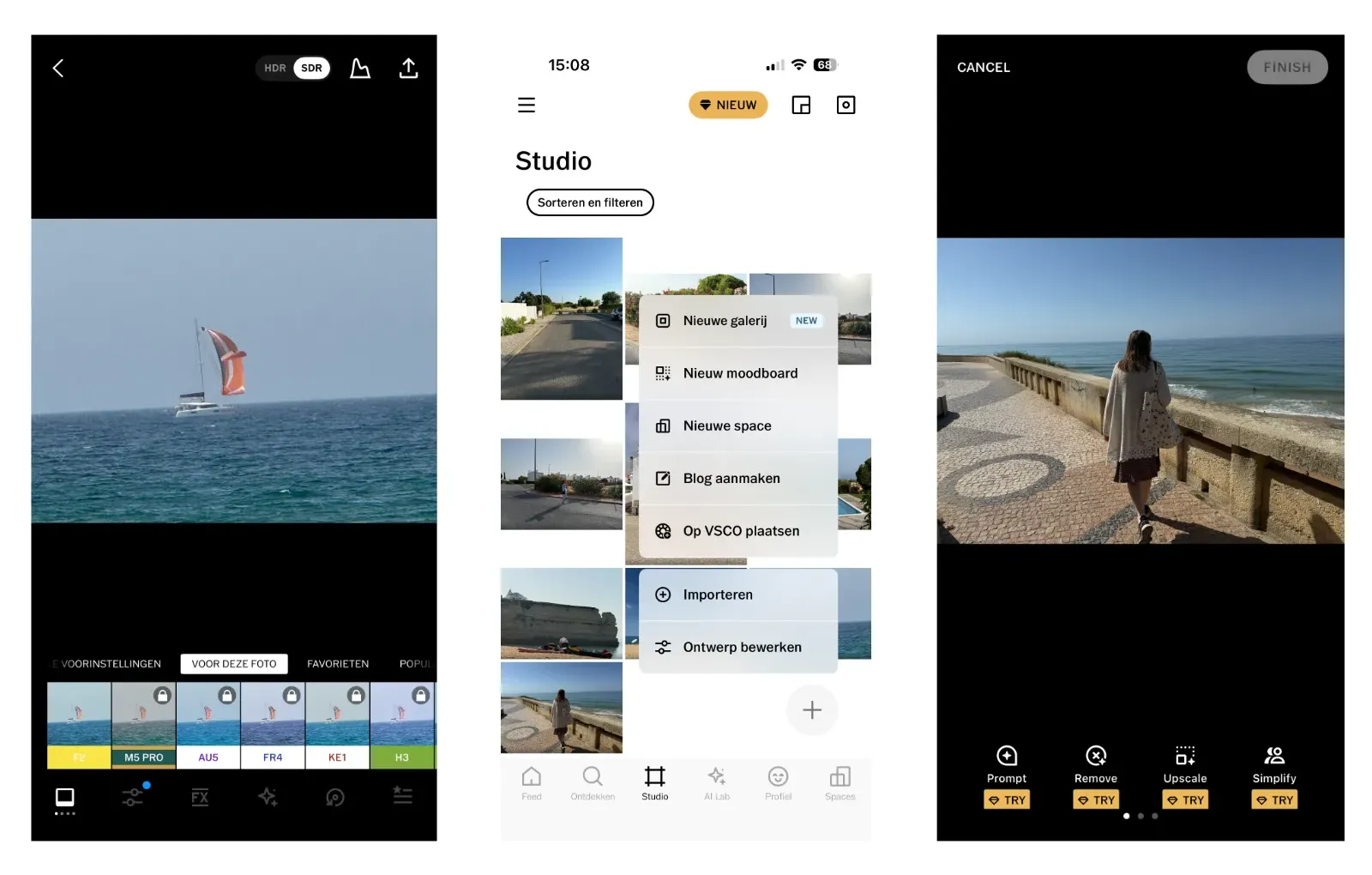
VSCO is less of a tech toolbox and more of a style app. The power lies in the presets, the film-like color reproduction and the way in which you can give a series of photos the same atmosphere. This makes VSCO interesting for travel series, portrait series, street photography and social media where consistency is more important than maximum technical control.
Use VSCO when you do not want to scroll endlessly, but are looking for a recognizable tone. A soft film look, subdued color, more warmth or a calm black and white feeling can give a series coherence. This works especially well if the photos already have strong light and composition.
The pitfall is that a style quickly becomes more important than the image. A preset does not save a weak photo. So start with a good selection, adjust the strength of the effect and keep skin tones, sky and shadows believable.
Price and availability: Available for free for iPhone and Android; additional presets and advanced features require a paid subscription.
7. TouchRetouch: remove small distractions
TouchRetouch was created for one clear task: removing distracting elements from a photo. Think of a trash can in a street scene, a cable through the air, a spot on a wall or a small object at the edge of the frame. Instead of opening a full-blown editor, use TouchRetouch for targeted cleaning.
The app is useful for photos that are almost right. A quiet landscape with one disturbing sign, a portrait with a small spot in the background or an architectural photo with a striking cable can look more polished.
Use these types of retouching apps with common sense. For personal, creative or commercial images, cleaning up is often fine. For journalistic, documentary or competition photos, removing elements can change the meaning. Then restraint is more important than a perfect image.
Price and availability: Free to download for iPhone and Android, with in-app purchases and subscriptions for additional features.
8. PhotoPills: plan where the sun, moon, and Milky Way will be

PhotoPills is not an app for the couch, but for photographers who want to prepare an image. The app helps you plan where and when the sun, moon or Milky Way will be visible in a certain place. This is extremely valuable for landscape photography, cityscapes, night photography and special moon phases.
Suppose you want to photograph the full moon behind a lighthouse, mill or skyline. Luck alone is not enough. You have to know where to stand, at what time, in what direction of view and how the light behaves. PhotoPills makes such plans more concrete.
The app does require some learning time. You get the most out of it if you have an idea in advance: a location, subject and desired light. If you just want to know what time the sun sets, you can start with a simpler app.
Price and availability: A paid app for iPhone and Android, with a one-time purchase and no mandatory subscription.
9. Sun Surveyor: view light on location
Sun Surveyor partly overlaps with PhotoPills, but feels more like a practical location-scouting tool. With map display, compass and augmented reality you can see on the spot how the sun and moon move through the environment. This is useful for scouting: where will the light pass between buildings, when will a facade come into the sun, and how long will a place remain usable?
For street, architectural and landscape photographers, this type of information is often more valuable than another filter. Good light rarely transforms a mediocre scene, but it can make a strong scene much stronger.
Sun Surveyor is especially useful for those who like to search outside and look ahead. If you do a lot of night photography or very precise astronomical planning, PhotoPills can be more comprehensive. Sun Surveyor is accessible for quick light assessment on location.
Price and availability: Sun Surveyor Lite is available for free for iPhone and Android; the more extensive full version is paid.
10. Clear Outside: cloud cover, visibility and night photos
Clear Outside comes from the world of astronomy and is therefore particularly useful for photographers who depend on clouds, visibility and darkness. The app provides hourly information about cloud cover at different heights, temperature, wind, rain, moon phase and darkness. For night photography and landscapes, this is often exactly the information that regular weather apps show too generally.
Use Clear Outside when you're unsure whether an early morning, blue hour or nighttime session is worth it. A prediction remains a prediction of course, but it does help to plan more realistically. For the coast, heath, forest, city and starry sky, it makes a big difference whether you expect low clouds, high clouds or a clear sky.
If you mainly want wind, radar and broad weather maps, you can also look at Windy. But for photographers who mainly want to estimate light, clouds and night sky, Clear Outside is a surprisingly useful app.
Price and availability: Available completely free for both iPhone and Android.
Clear Outside not only shows cloud cover and visibility, but also the expected wind speed. Wind can quickly cause motion blur, especially in evening, night and landscape photography. A tall smartphone tripod, such as the 170 cm Studio ME, gives you more freedom in determining your position. In strong winds, do not place it fully extended and place it on a sturdy surface.
How to build your own app set
You do not need to install all ten apps. In fact, a crowded phone often makes your workflow messier. A small set tailored to the way you photograph is a better choice.
For quick everyday photography, the standard Camera app with Snapseed is often enough. You photograph quickly, edit quickly, and keep the workflow lightweight. For serious smartphone photos in RAW, you would rather choose Halide or Open Camera in combination with Lightroom Mobile. For travel and landscape photography, a combination of standard camera, Lightroom, PhotoPills and Clear Outside is stronger than just a new camera app.
Anyone who mainly creates atmosphere and series can benefit greatly from VSCO, as long as the style does not drown out the content. And if you want to deliver photos slightly cleaner, use TouchRetouch as a final step, not as an excuse to shoot carelessly.
So a good smartphone workflow can look very simple: planning with PhotoPills or Clear Outside, shooting with the standard app or a pro camera app, editing in Lightroom or Snapseed, and possibly a subtle style in VSCO. More is not always better.
After shooting and editing, printing is a logical final step. With a compact smartphone printer , you can print your favorite images directly from your iPhone or Android smartphone.
Finally: fewer apps, better seeing
The best photography app is not necessarily the one with the most buttons. It is the app that helps you look better, choose more calmly and work with more attention. Sometimes that means not installing anything and learning to use the standard Camera app better. Sometimes it means shooting RAW, because the light is difficult. And sometimes it means: don't take the photo today, but come back tomorrow when the sun is just right.
Smartphone photography remains photography. Light, timing, framing, distance and story still do most of the work. The right app can support that. The rest you have to see for yourself.
If you want to get more out of smartphone photography with apps, you can also read about shooting RAW with your phone, if you want more latitude in light and color. If you are curious about what distance and angle of view do to your photo, also read when a telephoto lens on your phone helps. And if you mainly want practical guidance on post-processing, also see editing photos on your smartphone.
Also read: Get the most out of your smartphone camera and Masterful composition in smartphone photography.



