
White balance is one of the most important settings for better photos. Setting white balance correctly makes colors look natural and true to life, or lets you deliberately render them warmer or cooler.
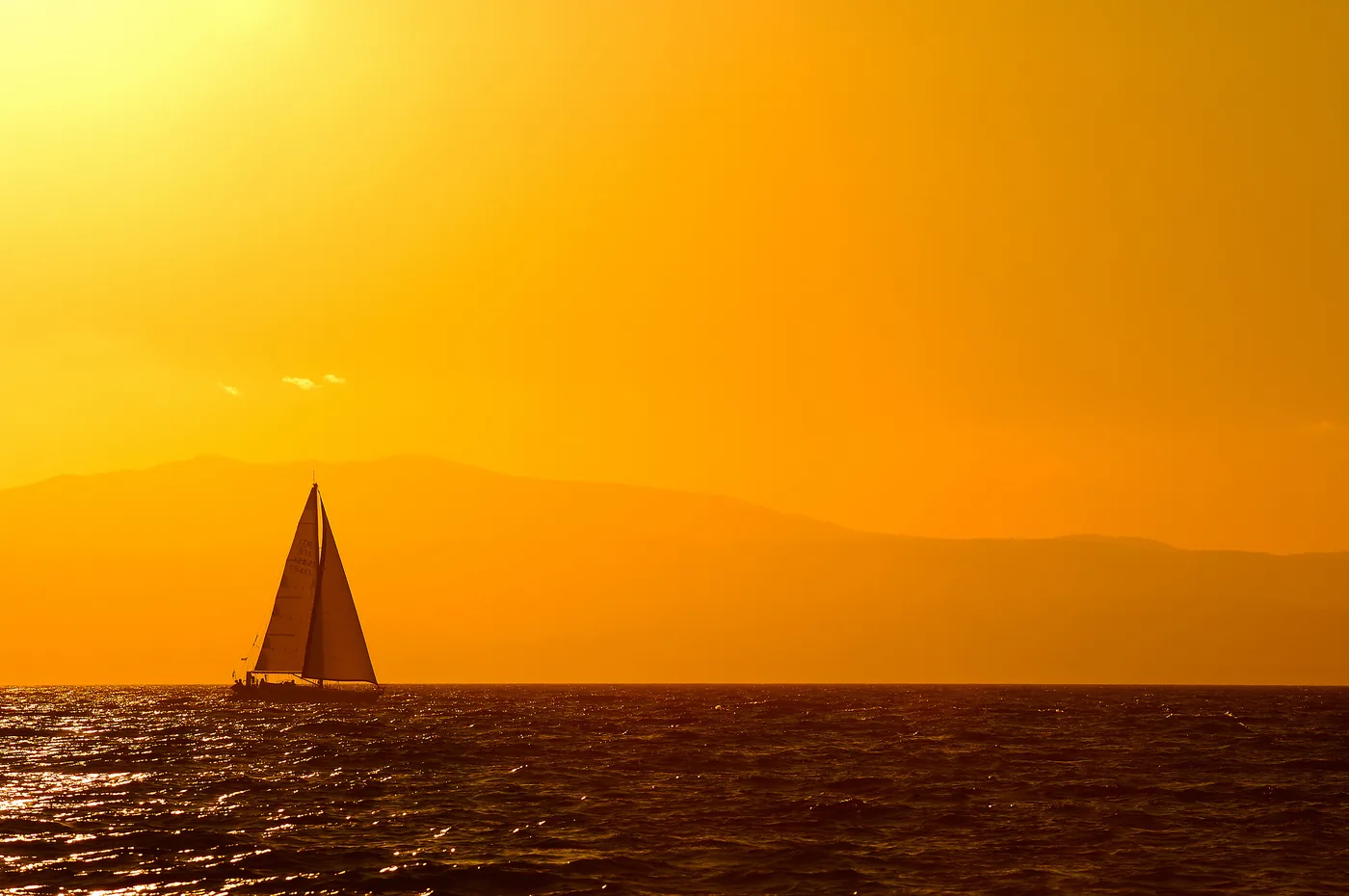
Differences in the color temperature of light are easiest to see in snow on a sunny winter day, when shadows take on cool colors and the low sun produces warm tones. The camera may neutralize that warm atmosphere. If so, select the 'Daylight' setting to preserve the warm look.
Cameras are fairly good at finding this balance by themselves. But look critically and you will often see room for improvement—or simply a more pleasing result, because the technically correct setting does not always produce the most attractive image.
DSLRs are quite smart. Their metering and control systems try to understand something about the situation in which you use them. It is an impressive bit of guesswork that often turns out reasonably well.
The technically correct setting does not always produce the most attractive result
Yet many photographers are surprised by how much better things can look when they set white balance themselves. For example, if your subject contains a lot of shade, set white balance to 'Shade.' This removes the cool tones from the shadows and gives the overall photo a more pleasing appearance. The chance of still getting colors that are too cool is very small—much smaller than with automatic white balance.
With artificial light, it is even more important to tell the camera what kind of light source is present. There are household incandescent bulbs, halogen lights, fluorescent tubes, compact fluorescent bulbs, and LED lighting, each with its own characteristics. And a living room rarely contains just one type of light; it is often a colorful mixture.
Many cameras, including flagship models from leading brands, struggle to diagnose this correctly, and you can hardly blame them. Take test shots or use the preview or live view to choose a setting you like.
Here, the artificial-light setting makes the sky dramatically blue. Some lights nevertheless retain a warm tone because many incandescent bulbs are even warmer than the light sources for which the artificial-light setting is calibrated.
Keep in mind that we experience living-room light itself as warm: neutral white light coming from a small table lamp can look a little strange. Hopefully the standard settings will work; otherwise, set the color temperature yourself (see the Kelvin section below).
There is really only one disadvantage to setting white balance yourself: you must remember to reset or change it when necessary. Otherwise, you might take a series of photos in daylight with an artificial-light setting. The intensely blue photos will make it painfully clear that you forgot 'something.'
Automatic vs. Manual White Balance
All those fixed white-balance settings are useful, but they do not guarantee neutral color reproduction. Consider this: there is one daylight setting, but many kinds of daylight. If you want the color balance to be exactly neutral, perform a custom white-balance measurement.
For a perfectly neutral shot, take a quick manual reading with one of the many white-balance accessories.
All digital SLRs, as well as many compact cameras, have a special setting for this. When you use it, the camera must measure the color of the light without allowing the subject's color to affect the reading. Measure from a sheet of white paper held so that it catches the same light that would otherwise fall on the subject.
You can also cut a piece of white card for this purpose and always carry it in your camera bag. A gray card can likewise be used for the white-balance reading (gray cards are also used for exposure metering, among other things).
White Balance Accessories
A piece of white paper or card may be enough. Commercial accessories can also make it easier to obtain accurate white balance.
A more luxurious alternative is the Lastolite EzyBalance, a small collapsible reflector that is white on one side and gray on the other. Besides providing good readings, it can fill in shadows on smaller subjects, such as in macro photography.
The EzyBalance can also be photographed and used as a reference surface for color calibration. It is an extremely useful and versatile tool.
The best-known white-balance accessory is the ExpoDisc, which is held or clipped in front of the lens. It is a disc that collects light and directs it into the lens. To use it correctly, stand in front of the subject, turn around, and point the ExpoDisc toward the main light source. This measures only the light and prevents the colors of the subject and surroundings from misleading the camera.
The exact way to activate a white-balance reading differs by camera. Some cameras let you assign custom white-balance measurement to a button, which is convenient if you want to take such readings frequently.
A custom white-balance setting gives you a precise setting for one particular situation. Some cameras also let you store several custom white-balance settings.
Warmth and Atmosphere in Photos
A custom measurement aims for completely neutral color reproduction. But if you use it late on an autumn afternoon, you will lose the beautiful warmth of the low light. That warm color cast is precisely what you do not want to neutralize. Simply choose 'Daylight' and you can be sure that warm tone will remain.
If you want even more warmth—sometimes exaggeration is perfectly acceptable—choose 'Cloudy' or 'Shade.' Those settings are also options if the colors look a little too cool on a sunny day.
You can create atmosphere by adjusting color balance
So neutral colors are worth pursuing, but color-balance adjustments can also create atmosphere. Some DSLRs let you fine-tune the fixed white-balance settings to make them warmer or cooler to taste. That is ideal.
White Balance and Kelvin
Color temperature is expressed in Kelvin. Average daylight has a color temperature of 5600 Kelvin (people once said 'degrees Kelvin,' but the word degrees is now omitted). Some cameras let you set the color temperature freely. This is useful when you want complete control over how cool or warm the color rendering appears.
Whatever the situation, place, or time: set the white balance and your photos will improve!



