The Nikon D300s is more than a D300 with a video option. The camera has evolved considerably, and the list of differences is substantial.
If the D300 was the D700 for the DX format, the D300s goes a step further. It offers serious video capabilities, recording broadly compatible 1280 x 720 AVI video at 24 fps.
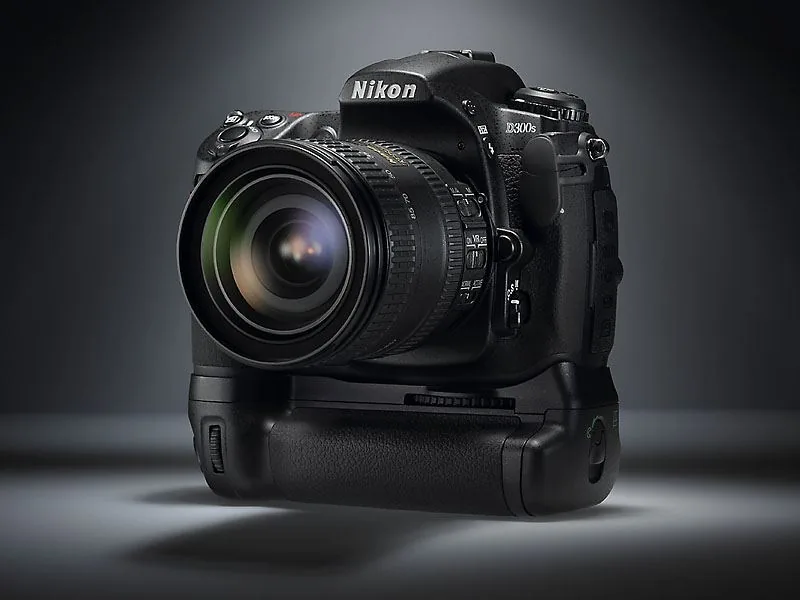
For audio, it has its own mono microphone and—importantly—a connection for a stereo microphone; the recording level is adjustable. If you want autofocus, you may be inclined to use live view's contrast-detection focusing. That is the only focusing method that can work during filming.
Focusing is not continuous; you have to press the AF start button. In other words, AF only on command. That may sound like a limitation, but it is actually a good thing. Contrast detection often hunts and hesitates, which can introduce a lot of unwanted movement into your footage.
If you want to adjust focus while filming, it is best to do so manually: at exactly the right moment, you turn the focus from point A to point B. Playing with focus is one of the attractions of filming with an SLR: by video standards, you have a large sensor and therefore relatively shallow depth of field. You can make the most of this with especially fast lenses, creating beautiful interplay between sharp and blurred areas.
Playing with focus is one of the attractions of filming with an SLR
No Continuous Autofocus
Filming means recording the live view image. In live view—the mode used for filming—you can choose between two focusing methods. With contrast-detection AF, the live image remains visible, but focusing is slow and sometimes uncertain, although it is clearly better than on the D300. It is more useful for photography, but still only of limited use for filming.

With the second option, the image briefly goes dark because the mirror drops so the regular AF system can operate. This works faster and more accurately, but of course it cannot be used while filming.
If this function is selected and you press the AF button while filming, the camera stops recording and focuses quickly. You then have to press the center button again to record a new shot.
If you are making a video presentation composed of many short shots, this is certainly a useful workflow. On the D300s, you can stop down to f/16, allowing you to use the great depth of field this aperture provides and film with almost no need to focus.
It is quite a story, with all kinds of options and considerations, and functionality that cannot be compared with that of a semiprofessional HD camcorder. But thanks to the quality and lens selection, the D300s's D-Movie feature is truly much more than a toy.
The roles of these two cards can be configured: photos on one, for example, and video on the other
This is also helped by the adjustable sensitivity and the fact that image settings—color, contrast, and sharpening—can be applied to video as well. It is also useful that the aperture can now be set as far as f/16: this provides so much depth of field that, with a wide-angle setting, you can film with little need to focus. Finally, you can adjust the scene length of recorded shots in the camera afterward in preparation for editing.
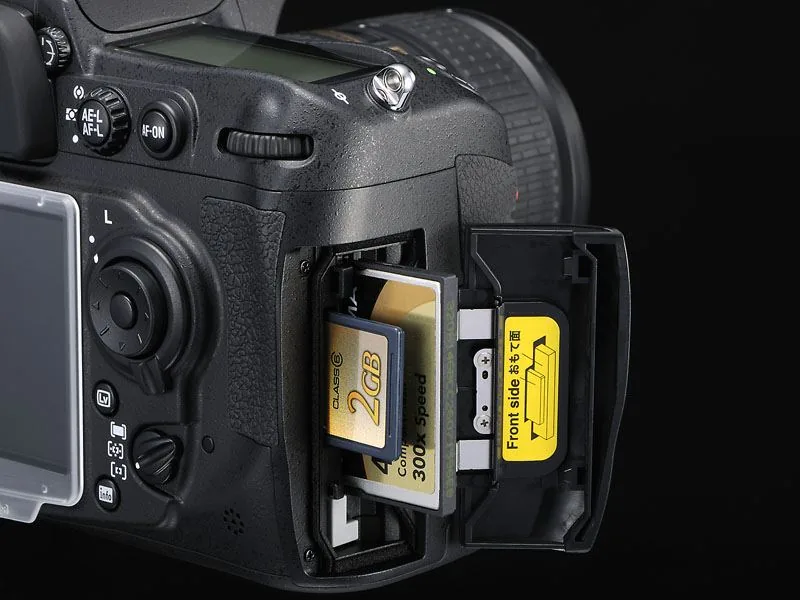
Dual Card Slots
Video can be stored on a standard CompactFlash card, but the D300s has a second card slot for SD cards. The roles of these two cards can be configured: photos on one and video on the other, for example. You can also divide files between them by format, such as JPEG and NEF (RAW). This is extremely convenient, especially when you use the camera for two workflows.
All things considered, the D300s is an interesting camera for modern news reporting, where both video and still photography may be required.
Eye-fi
Thanks to the SD slot, the camera also supports Eye-Fi SD cards, which can send your files over Wi-Fi. The menu includes an Eye-Fi option that lets you start and stop automatic transmission to your router or access point.
The card slots are now just as quick and easy to access as those on the D700. The separate locking button is gone: slide the cover in the grip backward and it flips open. It is faster and easier.
Faster
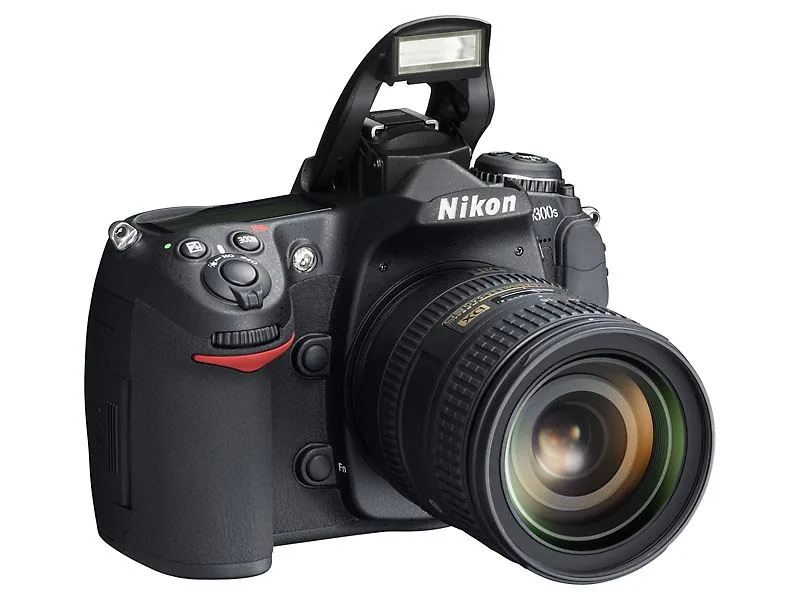
Now for the many changes compared with the D300. The built-in flash has wider coverage, illuminating lenses down to 16 mm instead of 18. This is a welcome improvement given the growing popularity of the capable 16-85 mm DX lens. The D300s is faster than its predecessor: not 6 fps, but 7. With the MB-D10 battery pack—and an EN-EL4/4a battery inside—it reaches 8 fps. That is genuinely fast.
Nikon expanded its highly regarded D-Lighting with Auto and Extra High settings. The latter produces extremely strong tonal adjustments that approach HDR photography. The corrections are so powerful in that setting that photos can sometimes look slightly surreal. Some will say not to use it; others will embrace it. It is interesting to see an undeniably useful tonal adjustment—working in both highlights and shadows—develop into a creative tool, especially since Nikon also added 5-stop HDR bracketing. Love it or hate it—the choice is yours.
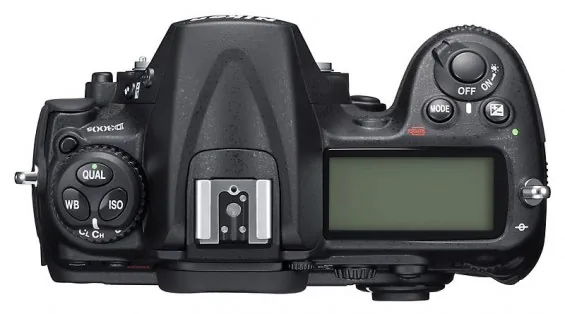
Everyone will appreciate the addition of an info button and information display. Press the button to see an overview of the important camera settings, which you can access directly to make changes. The camera already has many external controls that provide very direct access to numerous settings. The information display complements them: it is slightly less direct, but easier than using the menu.
You can also create a tab of favorite settings within the menu, providing quick access there as well. This brings order to the enormous range of configuration options, and before long the D300s feels completely familiar.
In-Camera RAW Processing
Following the D90, the D300s now also offers in-camera RAW processing. Do not expect the intelligence and processing power of Capture NX or Lightroom, but it is still useful. Nikon has always produced very usable JPEGs, and that remains true here. In-camera processing works particularly well when you want to try variations in white balance, color, or contrast. Naturally, the original file remains untouched, and you can have the camera calculate as many versions as you like.
That is roughly the extent of the D300s's new functionality. Image quality has improved slightly as processing technology continues to advance. The D300s is thoroughly up to date. That means class-leading performance at the top of the APS-C segment, with a good balance between noise reduction and detail. It performs well up to ISO 3200; ISO 6400 equivalent remains usable as long as the output is not too large.
The D300 was still in its prime, but something had to change because the competition was not standing still and filming with DSLRs was becoming a serious option. The 300s offers even more appealing ways to use it. It is both an excellent high-performance machine and a workhorse, with the sophisticated AF system and well-balanced exposure system remaining absolute highlights.



