Huginn lets Fujifilm users collect, customize and transfer film recipes to their cameras. The app for iPhone and iPad saves you from entering settings manually. Transferring individual recipes via USB-C is free; wireless transfers require a Pro subscription.
From film simulation to film recipe
A film recipe combines a built-in film simulation with settings such as white balance, color, contrast and grain. This gives your JPEG photographs a particular look straight out of the camera. With film simulations for portrait photography, for example, skin tones and contrast play an important role.
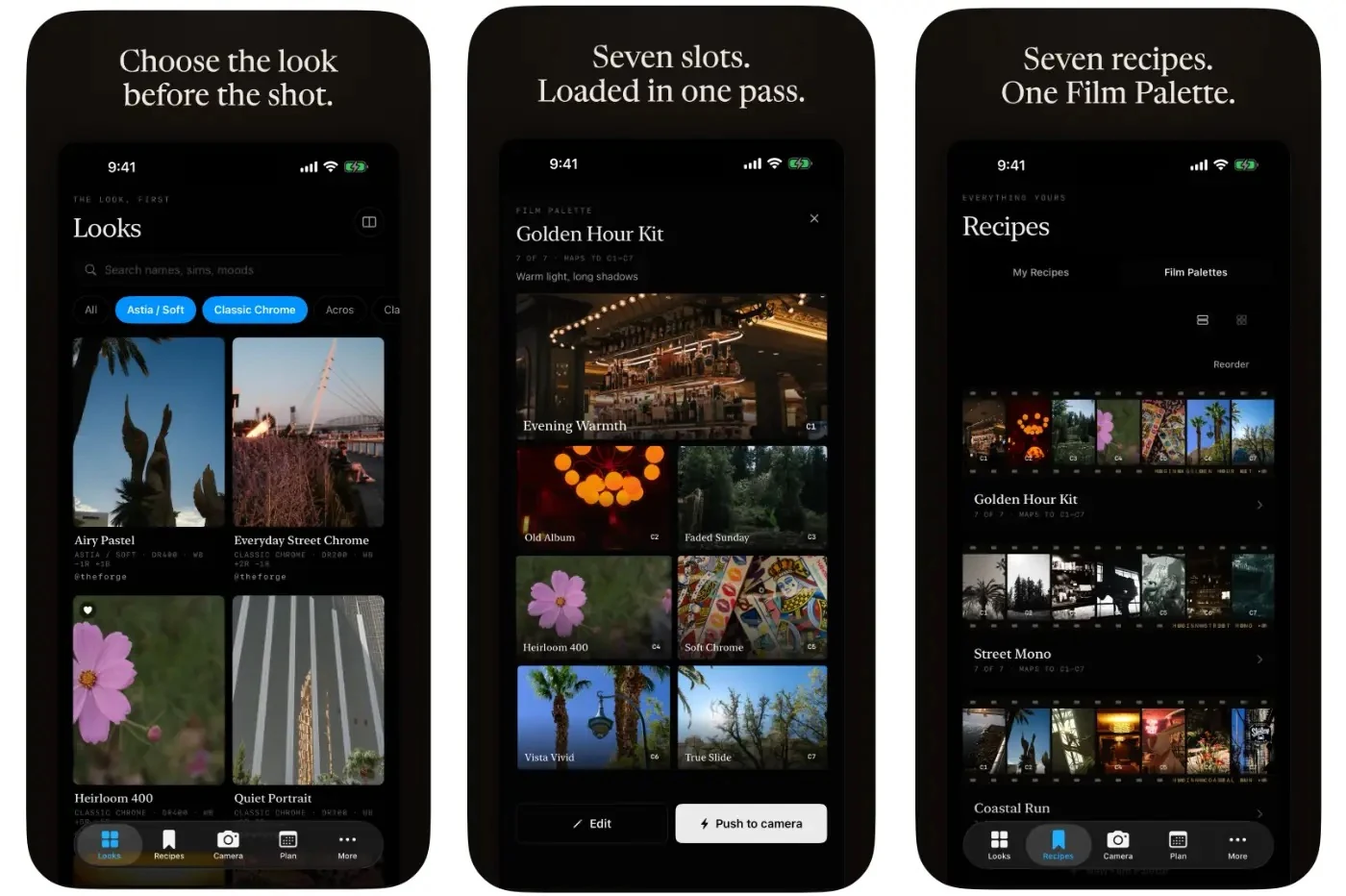
Normally, you enter a recipe’s settings yourself through the camera menu. Huginn brings recipes together in a library with sample photographs. Users can search by film simulation or mood, adjust settings and save their own recipes. The app can also read recipe settings from Fujifilm JPEG metadata or recognize them in a photograph of a written recipe.
A chosen recipe can then be sent to a custom preset on a supported camera. This saves you from copying each setting individually.
Seven recipes for your next trip
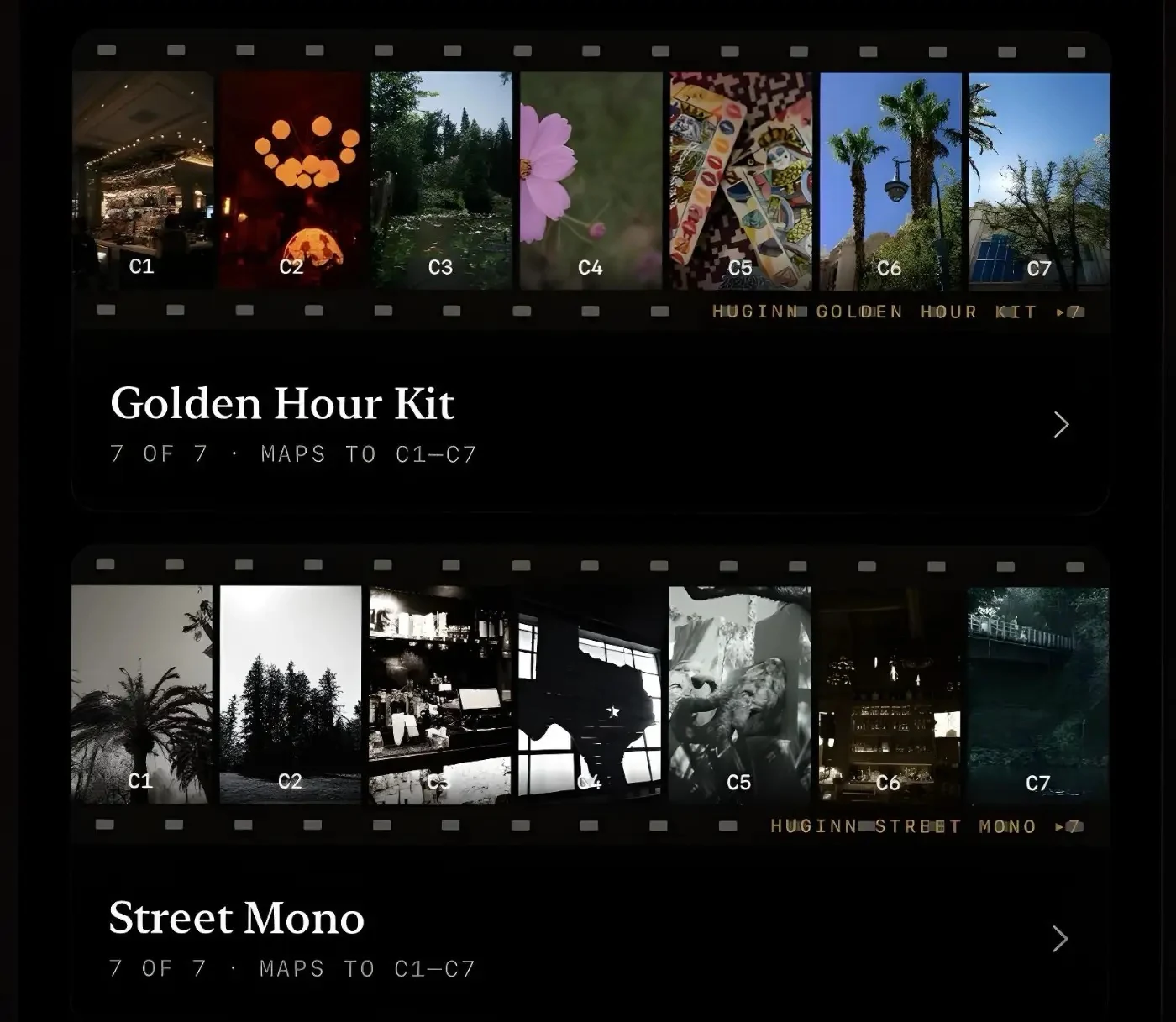
A Film Palette lets users group up to seven recipes for slots C1 through C7. Think of a collection for a city trip, with muted colors, high-contrast black and white, and a warmer look for evening light. The right settings also depend on the natural light you are photographing in.
With Pro, you can transfer an entire collection to the camera in one go. Huginn also lets you back up and restore camera settings. Your previous settings remain available when you want to try different recipes.
One photograph, different versions
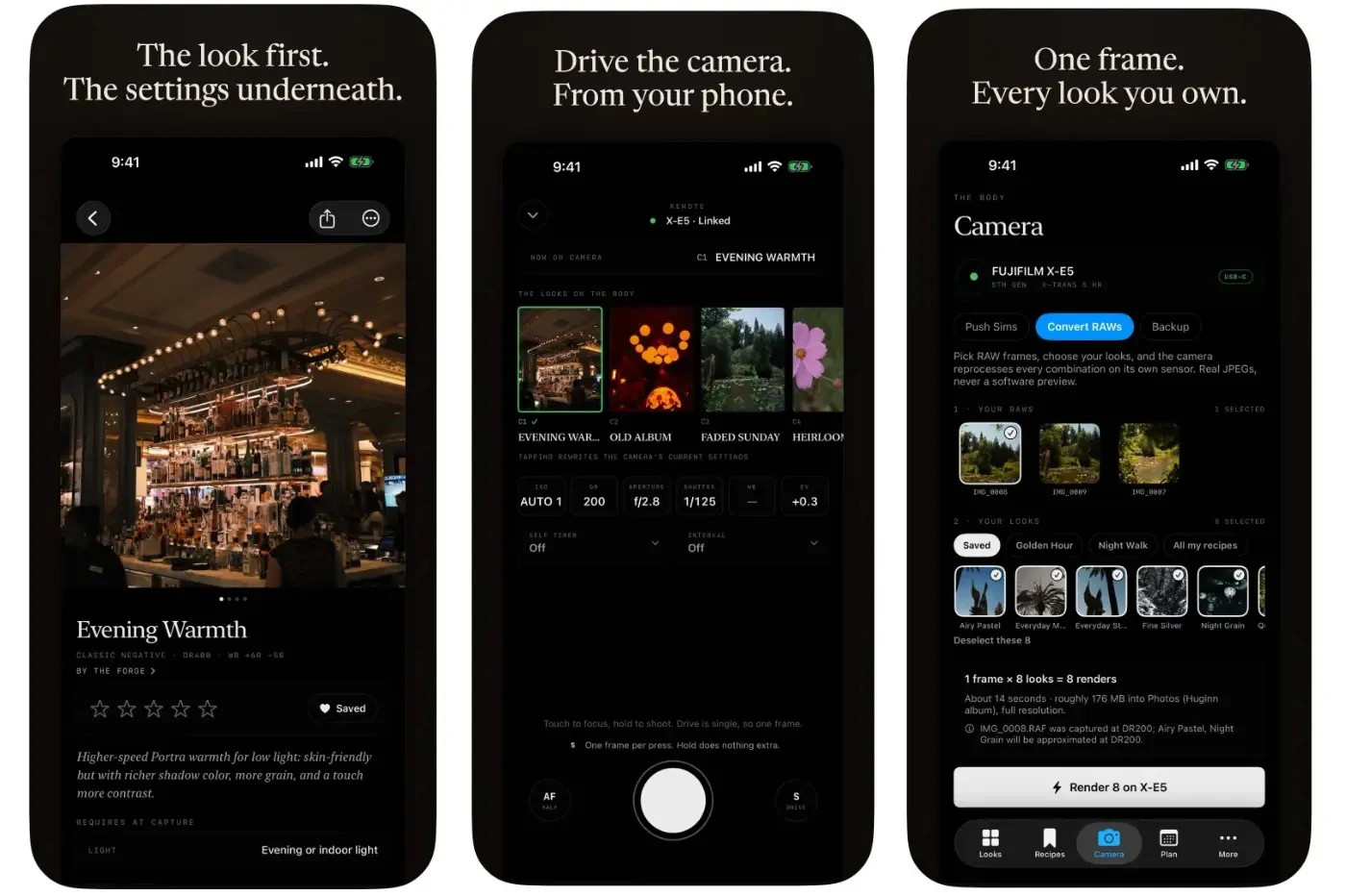
The Virtual Bracketing feature processes a single RAF file, Fujifilm’s RAW format, using different recipes. This requires a USB connection to the camera.
The camera’s image processor creates the JPEG versions. You can therefore compare different versions of the same photograph, all processed using Fujifilm’s own image processing. This can help you choose a recipe without having to photograph the subject repeatedly.
Compatibility and pricing
Huginn is available for iPhone and iPad running iOS or iPadOS 17 or later. Check with the developer beforehand to see whether your Fujifilm supports the features you want to use. Capabilities may vary between camera models.
The free version includes the recipe library, creating and saving your own recipes, and transferring individual recipes via USB-C. One Film Palette and one camera backup are also included.
Wireless transfers, transferring a complete palette at once, and Virtual Bracketing require a Pro subscription. Pro also lets users save more palettes and backups.
The developer lists an introductory price of $19.99 per year. After the introductory period, the price rises to $29.99 for new subscribers. According to the developer, users who subscribe during the introductory period keep the lower rate as long as their subscription remains active. Local App Store pricing may differ.
More information about features and camera compatibility is available at huginnfilm.app.



