With the arrival of the EOS 60D, Canon tailored its midrange model more than ever to the demanding enthusiast photographer: professional quality in luxurious amateur packaging, and exceptionally well equipped.
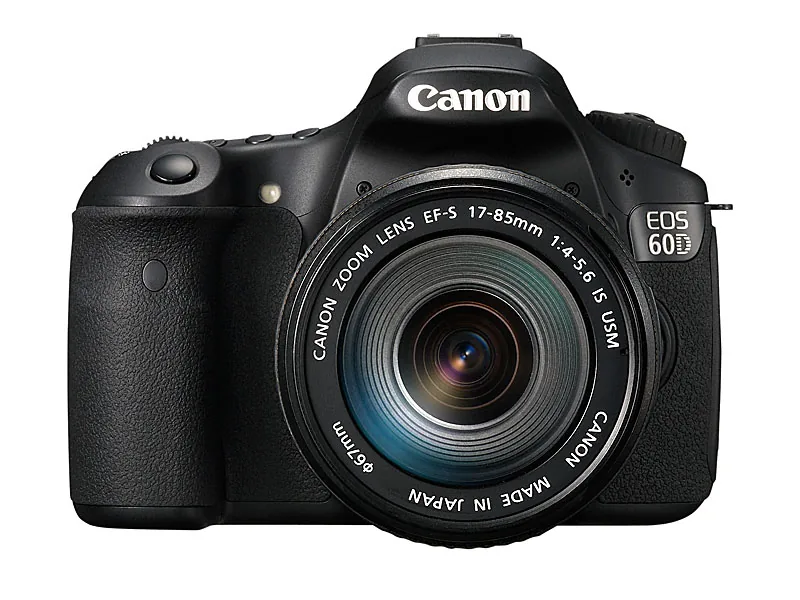
Its predecessors, the EOS 40D and 50D, were heavy-duty models: strong, fast, and durable. They had alloy bodies, extra-strong construction, and no compromises in shape or size. They were semiprofessional workhorses that professionals could also use when they did not want to carry a large, heavy EOS-1.
In practice, however, they were sold almost exclusively to advanced amateurs, or to people who aspired to become one. With the Canon 60D the focus shifted entirely to this group.
That is why Canon also added playful, creative features and an articulating LCD screen. In size, the camera is comparable to its predecessors.
Handling the EOS 60D
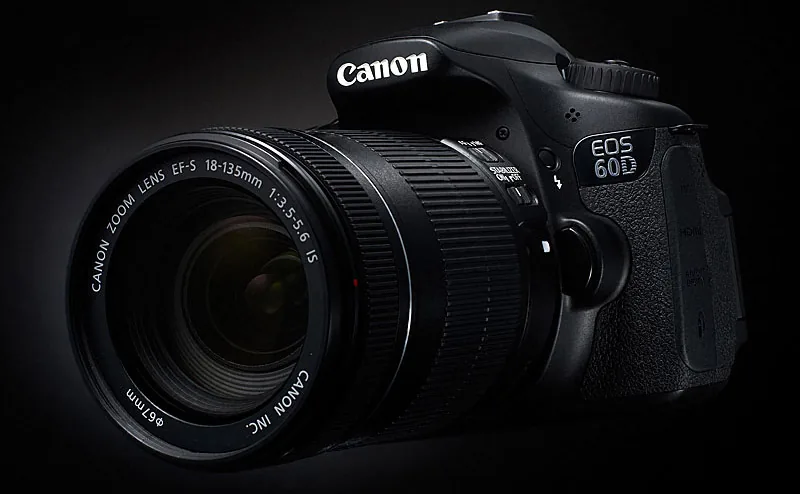
And yes, the body is no longer made of alloy, but of plastic. People were quick to disparage that. And let's be honest: saying that your camera body is made of magnesium alloy sounds better. But it is not a major issue. Magnesium is light and strong; when the pressure becomes too great, it does not bend, but breaks.
What matters much more is the comfortable grip this body provides
Plastic—or polycarbonate, if you prefer the more expensive-sounding term—is more resilient, although it too will eventually break. Magnesium burns readily; plastic deforms or melts. Choose whichever property matters most to you. No, the plastic body really is not a big deal.
In size, the 60D follows the 50D and 40D, but its design is much more elegant and fluid.
What matters much more is the comfortable grip this body provides. A rubber-like covering is inlaid at key points on the body, giving it a precise feel without becoming sticky. This EOS 60D will not slip out of your hands. That makes it all the more striking that, despite its ridges, the control dial on the back is rather slick and not especially pleasant to operate.
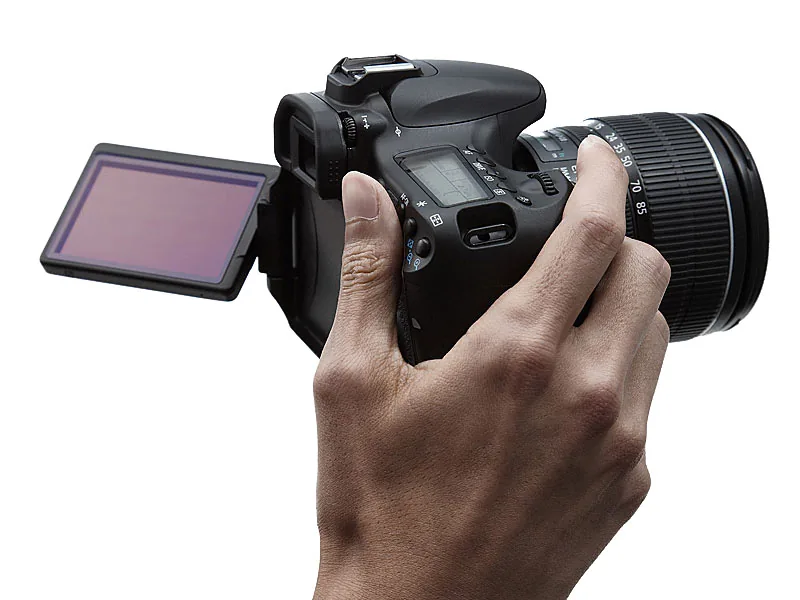
The articulating screen, long used by Canon on compact cameras, is a first for a Canon SLR
Creativity Today
Canon is progressive in technology, but often cautious about adding extra features. Take wireless TTL flash control: this is only the second Canon to offer it. In-camera RAW processing is also a first for Canon.
The articulating screen, long used by Canon on compact cameras, is a first for a Canon SLR. The same applies to the creative filters—grainy black and white, soft focus, toy camera, and miniature effect. In any case, it is clear that Canon studied the market very carefully when developing the 60D.
Scene Modes You Can Actually Use
Scene modes—portrait, sports, landscape, and so on—automatically provide settings suited to a particular type of subject.
This concerns not only shutter speed and aperture, but also the ISO range, whether flash may be used, and advanced settings such as sharpening, saturation, and contrast. It has worked that way for years, and the 60D has it too. The surprise is that you can now also activate various image settings in such a mode.
Canon calls this Ambience Selection, and it makes the EOS 60D a contemporary, playful tool
Canon calls this Ambience Selection. You can choose Standard, Vivid, Soft, Warm, Intense, Cool, Brighter, Darker, or Monochrome. The strength of these effects is adjustable, and in live view you can see the result immediately. It makes the EOS 60D a contemporary, playful tool.
Giving the scene modes more creative potential was a good idea, because it lets inexperienced photographers experiment. It is realistic too: enthusiast photographers do want complete control over their cameras, but many never reach that goal. Now they can still achieve distinctive results by an easier route.
That is also why it is good that Canon included creative filters in the EOS 60D. For more and more photographers, the result matters more than the technical fuss. Why make photography difficult when a camera like this can make it easy?
For the same reason, Creative Auto mode is welcome here. It tries to make the main settings, such as depth of field, easier to understand.
Q Button
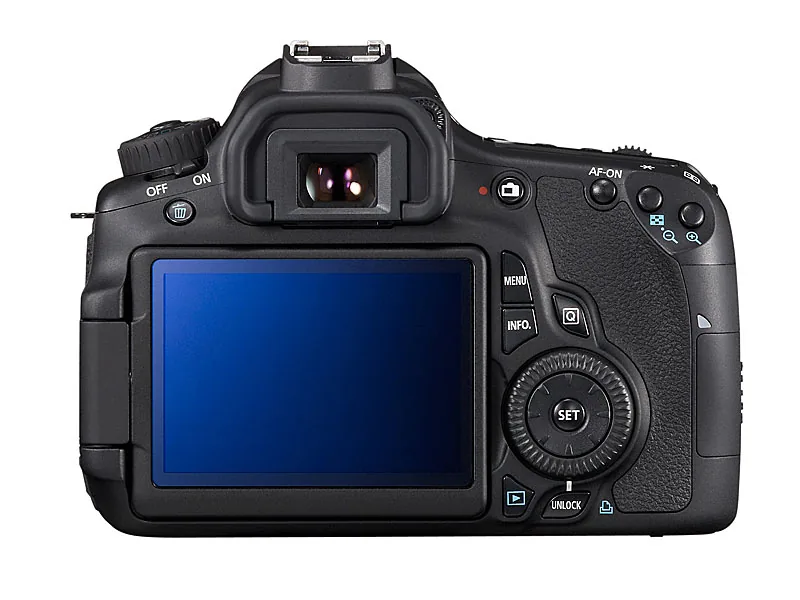
If you want to adjust settings in the conventional way, press the Q button to call up an overview screen containing almost everything you might want to change while photographing.
As a result, you do not need the regular menus very often. The Q screen also includes a white-balance setting. It is a shame that Canon did not provide a dedicated WB button on the outside of the camera. If you are at all critical of your final results, you will often need to adjust white balance yourself, and the EOS 60D is no exception.
You can, however, program the SEL button on the back for white balance. Flash exposure compensation can also be assigned there. That setting has no dedicated button either, so you must choose between them. Canon could have used the button that releases the flash for this purpose; Nikon's solution works very well.
Credit is due for the beautiful, large rear LCD screen. It is a pleasure to use for photography.
The Q screen also lets you adjust settings that appear as Custom Functions in the menu. That is convenient, but also confusing. Previously there were two places for settings—the menu and Custom Functions—and now the Q screen has been added. This makes the camera a little harder to master.
The four buttons above the LCD screen no longer have dual functions. This means that more functions must be controlled through the Q screen.
Step
Auto bracketing cannot be activated with a dedicated button or assigned to one; you have to use the menu. That is unfortunate. An extra freely assignable button would not have been out of place on the EOS 60D.
The buttons in front of the top LCD no longer have dual functions, so more settings must be handled through the Q screen or menu. From the perspective of a 40D or 50D user, that is a step backward. If you own one of those cameras and want to upgrade, you would be better off choosing the 7D.
Credit is due for the beautiful, large rear LCD screen. It is a pleasure to use for photography, including at alternative aspect ratios—even square. Contrast-detection autofocus remains slow and uncertain.
It is much faster if you let the camera briefly lower the mirror and use the regular AF system. Because the EOS 60D can shoot rapidly at 5.3 fps, the blackout caused by the mirror is very short, so this feature is often practical.
The combination of an articulating screen and live view is excellent—in fact, it is the EOS 60D's key selling point
Depth-of-field preview can also be used in live view. If desired, the LCD's image brightness remains constant, providing a very realistic preview of the depth of field.
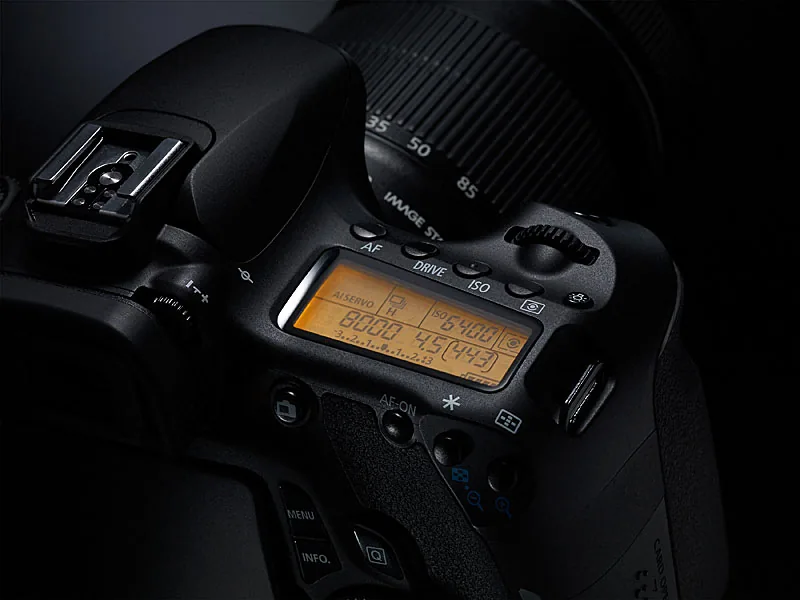
EOS 60D Results
The EOS 60D delivers top-level results: clean, detailed images in which noise may become intrusive only from ISO 3200. The results are comparable to the 7D and better than the 50D.
Autofocus is accurate and fast. It remains odd that Canon persists with an AF-assist light produced by the flash—rather amateurish. Fortunately, it can be disabled; the AF is usually capable enough without it. Autofocus fine-tuning, available on the 7D and 50D, has been omitted.
This underlines that the 60D is no longer a bridge model aimed toward professionals, but a luxury amateur camera. It should immediately be noted that you will not be able to tell whether a photograph was taken with a 7D or a 60D—or with a 550D, for that matter. The same image quality at three price points makes Canon's lineup very interesting.
The rising price curve across these three models tracks their increasing level of professional construction and durability. Choose the 550D instead of the 60D and you will have money left for more or better glass—or an external flash. The 550D also has a simpler, clearer control concept.
But then you lose the articulating screen, and the combination of that screen with live view is excellent for macro photography, product shots, and candid photography, among other uses. It is, in fact, the EOS 60D's key selling point.



