Scene modes: useful for beginners, then best forgotten once you become more advanced? Or should you take them more seriously? Helpful or patronizing?
Does a photograph get better as it becomes more technically difficult to make? Of course not. What matters most are its visual qualities: the moment, the pose, the composition, the dynamics, and so on. The technique obviously needs to be sound, but you can often safely leave that to the camera. At least, that is what camera manufacturers claim—and they are often right. Of course, there are still many situations in which it is better to choose the settings yourself.

As a rule, it is fair to say that in standard situations (!), a scene mode does a good job of imitating the choices an experienced photographer would make. In practice, this means you can often use one with confidence.
In portrait mode, the camera selects a wide aperture (a low f-number). This creates a shallow depth of field, keeping the background out of focus. The farther the background is behind the subject, and the larger the subject appears in the frame, the more blurred the background becomes.
Full auto

Without a photographer, a camera is blind. But its advanced metering system and autofocus sensors allow it to gather information about the scene in front of it: where the subject is located (the focus point), whether the subject is moving, whether it is changing position, whether there is a lot or very little light, and whether contrast is high or low. It also obtains information from the lens, such as angle of view and shooting distance. White balance likewise provides information about the shooting situation. By comparing these data with a database of standard situations, full-auto mode can be expected to choose settings similar to those a knowledgeable and perceptive photographer would select.
Subject
By selecting a scene mode yourself, you add an important criterion to the information gathered by the camera. That gives the camera an even better idea of what it is dealing with. If you choose action mode, for example, it switches to continuous autofocus and will not activate the flash. You can also release the shutter at any time, even before focusing is complete, so you do not miss the moment.
The camera also selects the fastest possible shutter speed and bases the exposure largely on the focus point rather than the background. As a beginner, you may not even know that you can control such things, let alone how or why. You do not need to, as long as it works. That makes scene modes very useful.
Landscape mode selects the smallest possible aperture to achieve as much depth of field as possible, ideally from foreground to background.
Useful for experts too?
Of course, you can also choose the settings described above for action photography yourself. But why would you? Nothing is more pointless than doing what a robot could do just as well. You can essentially regard the camera as a robot that takes care of the tedious tasks while the photographer concentrates on creating the image. Only when it really matters do you step in and adjust the settings yourself. You do need to know in advance exactly what the modes do. The manual usually contains a table explaining them. Scene modes really can be useful even for experienced photographers. With a single turn of a dial, you can turn your camera into a portrait camera, a macro camera, or a sports camera, applying a complete set of settings at once. The only concern is that scene modes may handle things differently from the way you would prefer. How far this goes varies by brand and camera.
The scene mode that is often—and rightly—viewed with some skepticism is the close-up mode. It selects a wide aperture to blur the background as much as possible.
Macro or close-up mode also produces shallow depth of field
However, there is a good chance that even parts of the subject will remain out of focus—for example, when a flower fills the frame. That can sometimes look attractive, but it is certainly not always desirable. This mode is unsuitable for true macro photography, which generally requires smaller apertures to obtain sufficient depth of field.
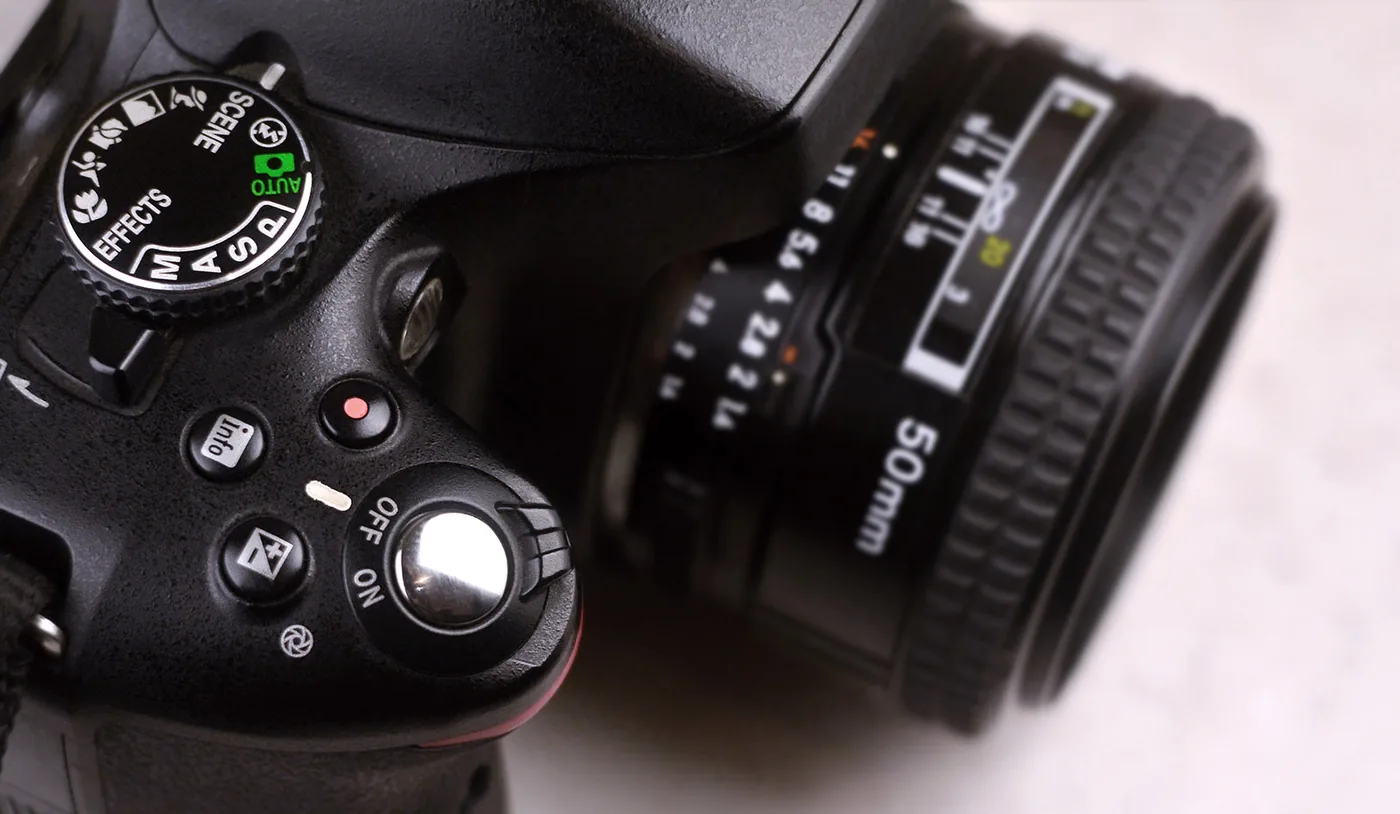
Macro or close-up mode generally uses the widest aperture, or one just slightly smaller. This produces heavily blurred backgrounds, but makes the exact placement of focus critical.
In a scene mode, only a limited number of menu settings remain available; the camera decides the rest. Menu settings such as red-eye reduction often apply to all scene modes at once, but not to the P, A, S, and M modes.



