Nikon has taken a sensible approach with the D700: making everything that is good about the D3 accessible to a much larger audience than the D3 will ever reach. You will never be able to tell from the photos whether they were taken with a D3 or a D700, because the two cameras share the same sensor and image-processing system.
With the D700, Nikon brings full frame within reach of well-heeled amateurs and SOHO (small office/home office) users—with a camera suitable for professional use.
Nikon emphasizes that the D700 is a rugged camera, built for reliability and protected against moisture and dust, but the D3 offers the highest possible level of protection in this respect.
The autofocus is very fast and accurate. And astonishingly smart.
Take the memory card slot, for example: the D700 has a plastic sliding, tilting cover (with sealing), while the D3's cover locks. After all, extreme conditions are always conceivable in which such a sliding, tilting cover could accidentally open. If you fiddle with it, you can hardly imagine that happening to anyone—what on earth would it take?
But with the D3, Nikon left nothing to chance in this respect either—a real example of the D3's professional positioning. The review considered the D700 perfectly suitable for wedding assignments, while the D3 remained its preferred choice for demanding photojournalism and sports photography.
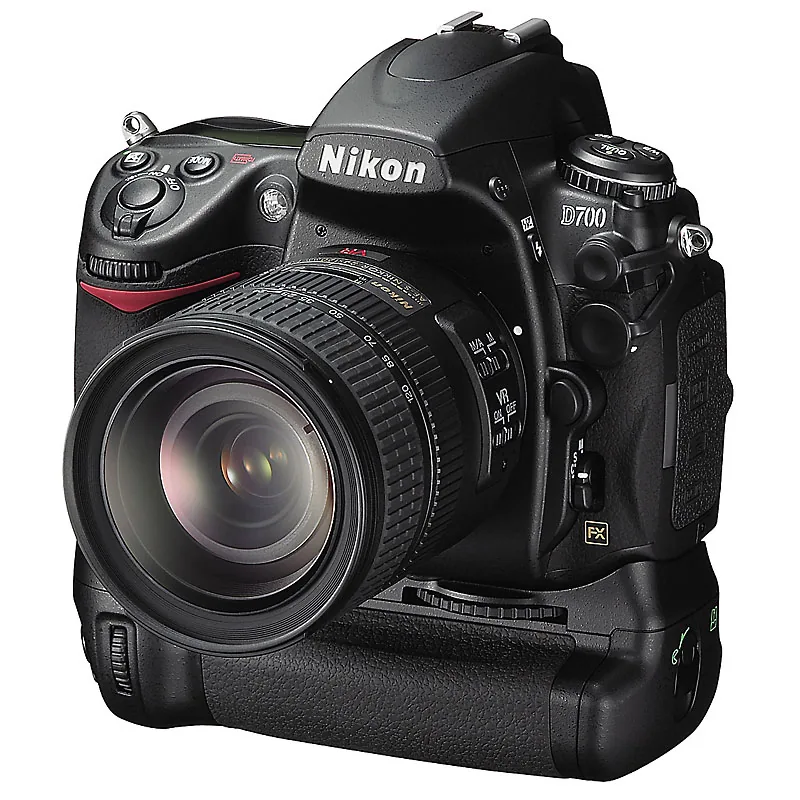
Easy to handle
The two cameras feel much the same in the hand, but the D700 is more comfortable to use because of its lower weight. It has a regular compact battery (in the grip), whereas the D3 has a large, long battery beneath the body, naturally providing greater endurance.
The D700 also impresses with its large, bright viewfinder. It sacrifices a little precision, showing about 95 percent of what will appear in the photo. This seems to be a necessary trade-off for the built-in dust-removal system, which the D3 lacks. It is a highly defensible compromise, because the D700 is not a camera that will have the same standard zoom mounted day in, day out.
Recent settings
There are no other surprises in the controls: they are thoroughly Nikon and almost entirely D3-style. D200 and D300 users will also find their way around quickly. Compared with other brands, Nikon uses long menus, so you sometimes have to work through quite a few lists. An excellent compensation for this inconvenience is the recent-settings menu, which displays the 20 most recently used settings.
After you press the menu button, the camera also always opens the most recently used menu, which will often be the recent-settings menu. Another advantage is that you no longer have to remember whether the function you want is in the shooting menu, the setup menu, or the custom settings; after use, they all appear in the recent-settings menu. If you want to experiment briefly with sharpening, for example, you can do so quickly and easily.
Function button
All the important functions also have their own button or switch. It is unfortunate, however, that there is no direct setting for the bracketing function. It could easily have been placed on the release-mode dial (S, CL, CH, etc.). By default, the freely programmable function button is assigned to this function.
But sometimes you need that button for something else. For example, when using live view while also wanting to use the self-timer (the 2 s setting for tripod shots). Those settings share a single dial, so you can use it to select one or the other. In that case, you can program the function button to activate live view.

Although I suspect Nikon's official response to this ‘problem’ would be: buy a remote control if you take tripod shots! In any case, it is helpful that you can freely program the function button. Better still, you can also program the depth-of-field preview button as an additional function button.
By default, the Fn button activates the camera's bracketing function. However, you can also assign a different function to it. The depth-of-field preview button above it can likewise be programmed for other functions.
Dynamic
The autofocus is very fast and accurate. And astonishingly smart. Letting the camera choose from among the 51 focus points works very well. It certainly takes some courage to move away from selective focusing on a single small sensor area, which provides maximum certainty but can also lead to errors when working quickly. When speed and spontaneity are essential, or when the subject is moving, dynamic focusing is certainly a serious option.
12 million pixels across 24 x 36 mm. That produces phenomenal quality. The CMOS sensor does not waste a single photon of light.
As on the D3 and D300, live view offers two focusing methods: phase detection and contrast detection. The first is fastest but deprives you of the image while focusing (very inconvenient); the second takes its time but retains the image. Neither method is suitable for subjects that require rapid focus adjustments. The live-view image does not show what happens when you apply exposure compensation or vary the shutter speed or aperture in M mode. It does, however, give you a good impression of the white balance.
Horizon
The built-in level is useful, helping you keep the horizon truly horizontal. You can display it prominently on the screen or superimpose it transparently over the live-view image. When shooting through the reflex viewfinder, you can display it beneath the viewfinder image as a kind of plus/minus correction indicator. It is a useful feature that you could call up with—you guessed it—the function button. Or, if that is already assigned, with the depth-of-field preview button... Phew!
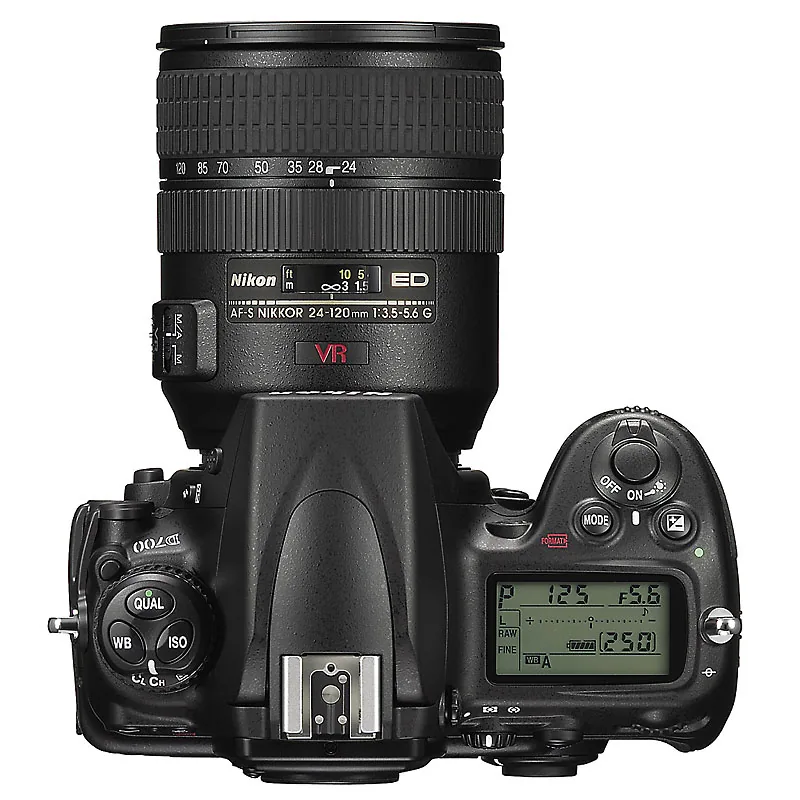
Why does this camera not have a second function button? Ah, it does! The AEL button (for exposure lock) is programmable too—not just for exposure-lock functions, but also with the functions available to the Fn button. Fortunately, the D700 also has memory for favorite combinations of settings, known as memory banks.
For example, you can have one for studio shots, one for action shots, and so on. By default, they are labeled A, B, C, and D, but you can also give them names. This provides a convenient way to organize the multitude of functions and options. One more welcome feature would be the ability to hide functions you never use from the menus.
At the time, Nikon recommended the f/3.5-5.6, 24-120mm VR lens as a versatile full-frame standard lens. It was affordable, offered a useful range, and had built-in image stabilization. DX-camera users were reasonably satisfied with it, but the review questioned whether it did sufficient justice to the FX format.
The 1005-pixel RGB sensor is used for exposure metering and determining white balance. It also assists autofocus in tracking a subject moving across the frame. It detects and follows the subject's movement and indicates which of the 51 AF sensors should be active to maintain focus.
ISO 1600 can be used without hesitation... ISO 3200 still delivers excellent clarity, and ISO 6400 is not yet a last resort
Microlenses
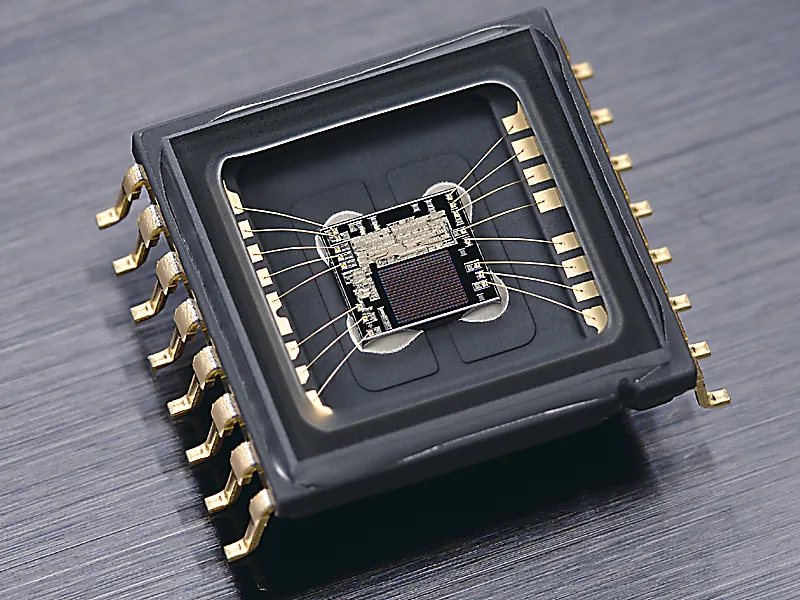
Let us move on from form to substance. 12 million pixels across 24 x 36 mm. That produces phenomenal quality. The CMOS sensor does not waste a single photon of light. An array of microlenses in front of the sensor focuses the incoming light rays so that no light falls between the pixels. Maximizing the use of light benefits both the achievable sensitivity and the dynamic range.
The near-total absence of image texture (grain, noise) in the photos called for a new approach, particularly to sharpening. The review advised keeping it low because the subtle transitions in sharpness showed beautifully when left undisturbed. The large sensor format naturally helped too, with its relatively shallow depth of field. The camera called for fast, top-class lenses, such as an f/2.8, 24-70mm lens. On a relatively limited budget, Nikon's f/1.8, 85mm was presented as a fantastic portrait option, to name another example.
The review found ISO 1600 usable without hesitation, ISO 3200 still highly clean, and ISO 6400 not yet a last resort. That feeling emerged only at the +2 setting (equivalent to ISO 25,600). It produced attractive, crisp color noise that was highly usable for a grain effect, although the shadows were muddy. Color rendering and gradation were also strong, as were the options for direct curve adjustment after the shot (D-Lighting, which had three levels).
FX format hits its stride
‘Only’ 5 frames per second (D3: 9), ‘only’ 1 CF card slot (D3: 2): these are also compromises you make if you prefer the D700. Usually, they are secondary concerns. The main point is that Nikon has made full-frame quality more accessible with this camera. ‘Groundbreaking’ is the word that comes to mind when you use it and see the results. This superb FX quality also calls for a camera model that is as light and compact as the technology allows, even if that means dispensing with a few more functions. After all, for quality-conscious travelers who would want to carry a camera like this in their camera bag, the D700 was too large and too heavy. At the time, the reviewer wondered what Nikon might already be developing in Japan; the FX format had only just begun.



