The Nikon D60 has sold out, leaving Nikon without an entry-level model for a while. Its successor, the D3000, has now arrived. It is similar in many respects, but even more accessible to DSLR beginners.
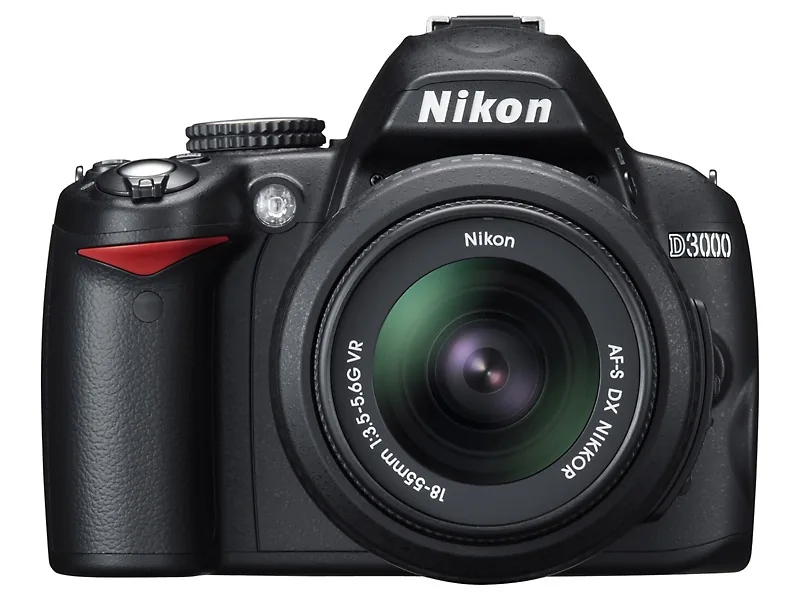
Many people think an SLR camera is harder to use than a compact camera. But that need not be the case. Put an SLR in fully automatic mode and taking a picture involves exactly the same steps. Everything simply happens faster, more reliably, and better.
You may use only 10 percent of such a camera's capabilities that way, but your success rate will be high.
Camera brands do not dare release an SLR with as few functions as a basic compact camera. Rightly so, because nobody would buy it. Anyone moving from a compact to an SLR has at least the ambition to improve their photography and start using camera settings.
Many people think an SLR camera is harder to use than a compact camera. But that need not be the case.
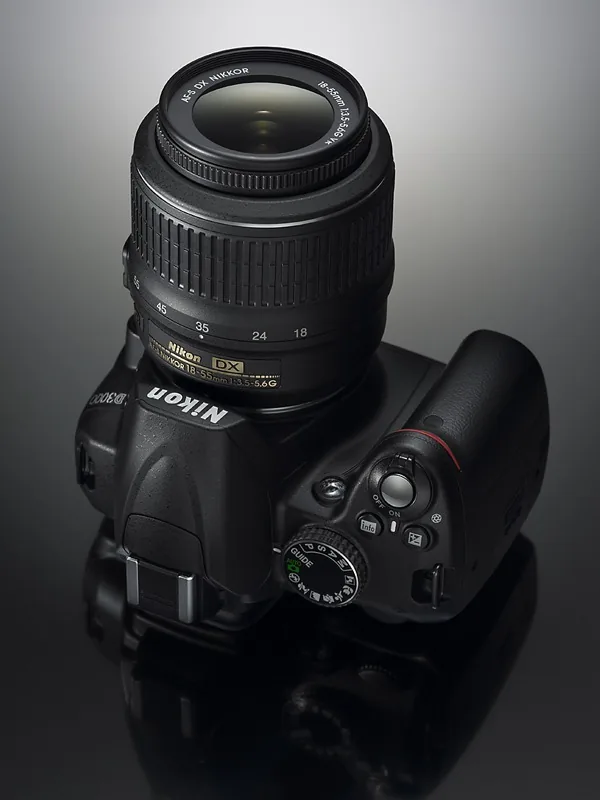
In practice, that last step often never happens. Nikon is trying to lower the threshold. The idea is that you should be able to find your way around the camera without a course or instruction manual. That is why the main mode dial includes a Guide mode.

In Guide mode, press the menu button. You can choose from three options: Shoot, View/delete, and Set up. The last option covers the camera's basic functions. To take a photo, choose the first.
On the next screen, you can choose between Easy operation and Advanced operation. The first option provides access to basic settings such as flash mode, autofocus, and release mode. Each setting is explained briefly and clearly and comes with a sample photo.
It is well executed, well written, and well translated—which is also very important, because otherwise it would still be useless. This mode also gives you access to the scene modes and explains what they do.
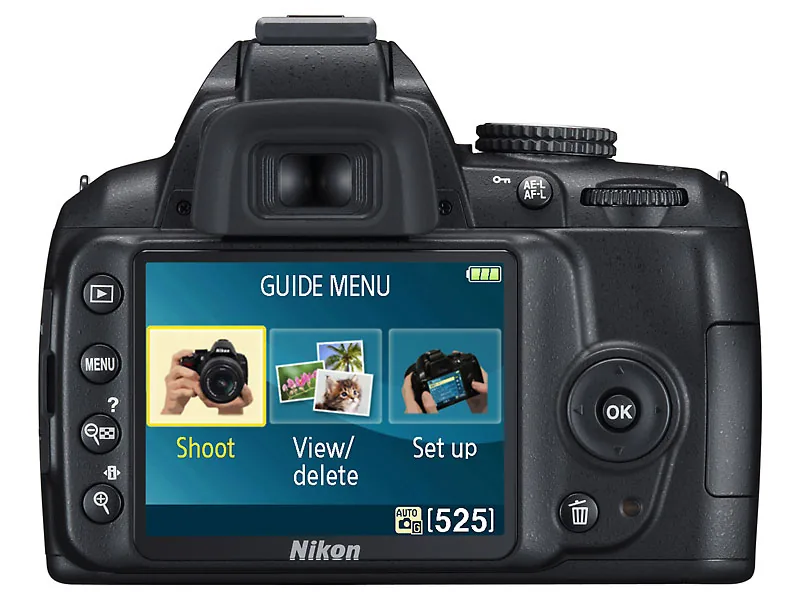
There is always a 'More settings' option that lets you adjust some of the camera's chosen settings yourself, but you will use that only once you are more experienced.
If you choose the advanced settings, you can specify the image effect you want, such as a blurred background, and the camera helps you choose a suitable aperture.
In the same way, it helps you choose a good shutter speed for moving subjects. After a while, you should no longer need this guidance. You can then use the camera's other regular modes: the scene modes or P, S, A, and M.
To be clear, you do not have to work through several menus to take a photo in Guide mode. If you press the shutter button immediately, the camera simply operates in fully automatic mode and handles everything itself.

If you choose Advanced settings, for example, you can select Soften backgrounds. The camera then explains and guides you through choosing the aperture.
Complete
If you already know your way around photography, you can ignore Guide mode and use a complete enthusiast DSLR in the tradition of the Nikon D40, D40x, and D60. It is pleasantly compact and easy to handle, with a bright, clear reflex viewfinder that is reasonably generous for this class and makes shooting enjoyable.
This new system is more advanced and can also use the 3D tracking familiar from higher-end models up to and including the D3.
It also has the D5000's 11-point autofocus system, with small, well-distributed focus points. The Nikon D3000's predecessors had three large AF areas, which reduced the chance of true focusing misses but did not allow focusing on very fine details.
This new system is more advanced and can also use the 3D tracking familiar from higher-end models up to and including the D3. In this mode, autofocus can follow a subject moving across the frame. It works, even on this D3000.
The 420-pixel RGB metering sensor is used not only for exposure and white balance but also to assist 3D tracking in keeping a moving subject in focus.
For image processing, Nikon uses a modified version of the Expeed engine based partly on the D5000. The image sensor is again a 10-megapixel CCD. There is nothing wrong with that, as the resulting image quality is simply excellent.
Notably, noise reduction is set to 'Off' by default. Once enabled, it remains on even after the camera is switched off, but resetting all camera functions at once turns it off again.
With noise reduction disabled, you get excellent detail when using a good lens, with noise becoming visible in the shadows from ISO 800 at high magnification. It has a very fine, crisp grain that is not quickly distracting.
On the D3000, Nikon also uses an AF-assist illuminator, a beam of light that briefly illuminates the subject for the autofocus system when needed.
Noise increases at the two higher settings, 1600 and 3200, but both remain quite usable. Enabling noise reduction naturally improves matters, at the cost of a little of that very high sharpness.

ISO 3200 is best avoided for large areas of even tone: without noise reduction because of the noise, and with noise reduction because of the cloudy pattern that can appear.
On the D3000, Nikon also uses an AF-assist illuminator, a beam of light that briefly illuminates the subject for the autofocus system when needed. It is less conspicuous than using the flash for this purpose and can also be disabled.
For detailed subjects, however, ISO 3200 can work well. Noise reduction has only one setting.
The exposure system performs very well and is not easily fooled, making photography trouble-free in a wide range of conditions.
D-Lighting
Nikon's now widely praised D-Lighting is included too: it corrects both shadows and highlights to produce a more balanced tonal range.
This processing takes time, so the captured photo takes a little longer to appear on the 3-inch LCD screen. If you like to work quickly, enable it only when needed.
When shooting, D-Lighting has only one strength. You can also apply it afterward to either a JPEG or a RAW file, in which case three strengths are available.
Brightening the shadows can introduce some extra shadow noise, but that is true of all such systems. D-Lighting is a useful and attractive technology, and it is also good that it can be turned off.
One more point deserves mention: this Nikon also offers many in-camera editing options. Cropping, color enhancement, multiple exposures, RAW processing, filter effects, and more can all be handled on board.
Ambitions
The final conclusion can be brief. The Nikon D3000 is an ideal choice for ambitious DSLR beginners. Experienced photographers looking for a compact, light, and versatile DSLR will also find it reasonably suitable, although its options for tailoring every detail are naturally more limited than those of a D5000.



